Technical Data
Parameter Specification / Value
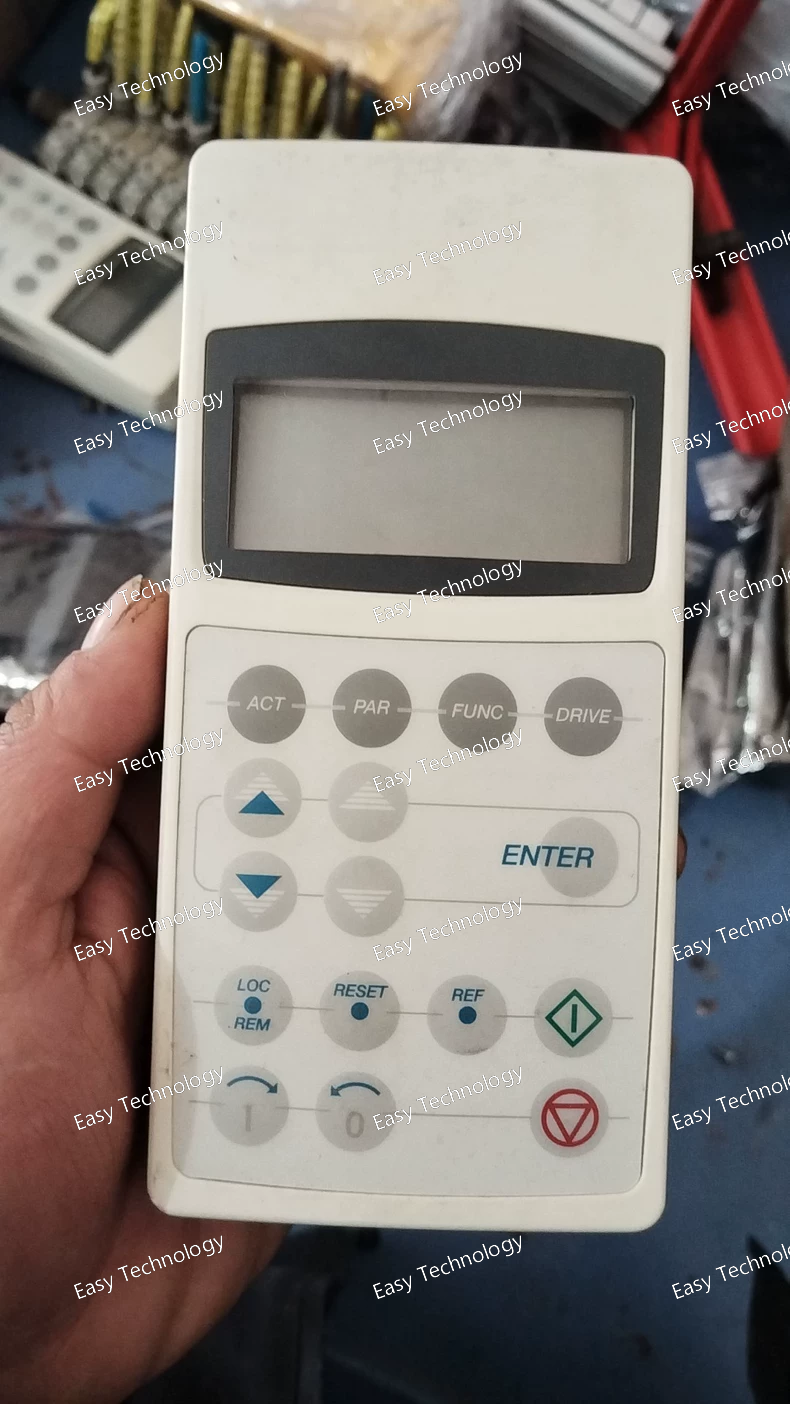
Product Name Control Panel, Hand-held
Compatible Drive Series ACX Series Drives: ACS150, ACS310, ACS355, and other drives sharing the same control panel interface.
Display LCD with backlight, 4 lines of text.
Keys Navigation keys (Up, Down, Left, Right, OK), Function keys (F1, F2, F3), Stop/Reset key, Drive control keys.
Power Supply Powered directly from the connected drive via the interface cable. No separate power source required.
Connection Interface Dedicated plug for the drive's control panel port (CN1/A on compatible drives).
Connection Cable Typically uses a specific cable (e.g., ABB Connection Kit JZRPS-312C). The cable length varies (common lengths: 3m, 10m).
Main Functions 1. Parameter Handling: View, edit, save, upload, and download drive parameters.
2. Drive Control: Local Start, Stop, Jog, Change direction, and reference setting.
3. Monitoring: Real-time display of speed, current, frequency, DC voltage, I/O status, faults, and warnings.
4. Fault Management: View fault history and reset faults.
Parameter Copy Yes. Can store the complete parameter set of one drive in its memory and transfer it to another identical drive model, saving commissioning time.
Language Support Multiple languages supported in the display menu (English, German, French, Spanish, Italian, etc.).
Storage Temperature -25°C to +70°C
Operating Temperature 0°C to +50°C (for reliable operation)
Relative Humidity 5% to 95%, non-condensing
Dimensions (Approx.) ~190 mm x 100 mm x 40 mm (H x W x D) - Hand-held size.
Order Reference The complete kit is often ordered as JZRPS-312 (which includes the CDP 312R panel and a connection cable).





 home
home

 WhatsApp
